Early access · for Mac
Be one of the first to get your evenings back.
Early access is the first piece of a chief of staff for every human. It's free, it only reads, and everything stays on your Mac. We're inviting a few people at a time, and building the rest with them.
Rather write? hello@anthrie.com. Tell us which Mac you have, where you read your mail, and that you’re 18 or older.
How it works
One window, one switch, then nothing to do.
No questionnaires, no settings to fill in. You open Anthrie and click Begin. It opens the one switch macOS asks for, and then it reads what's already on your Mac, the last month first, while you get on with your evening.
-
Welcome
One window: what it reads, three promises, and one button. The reasons and switches wait behind one link.
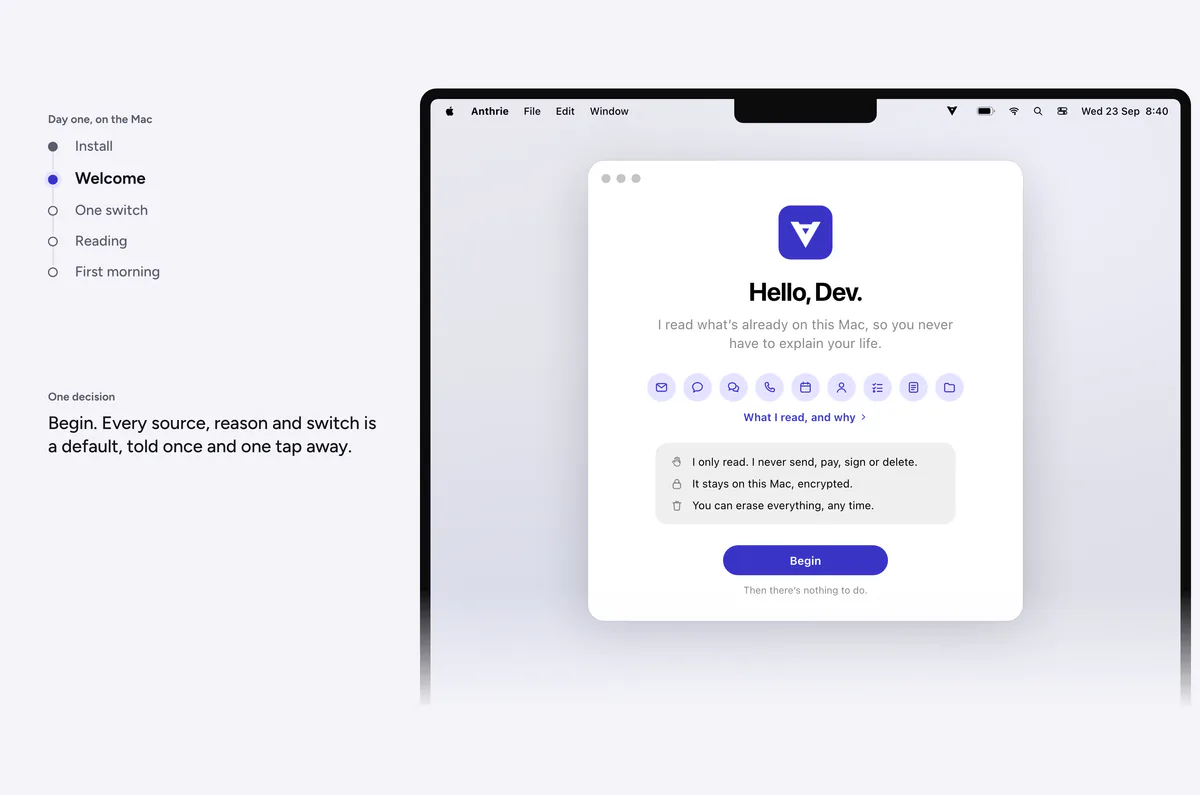
A design · Welcome -
The one switch
macOS's own switch, opened at the exact place, with one line of why beside it. Anthrie notices the moment it's on. Then three quick yeses from macOS: your people, your days, your reminders.
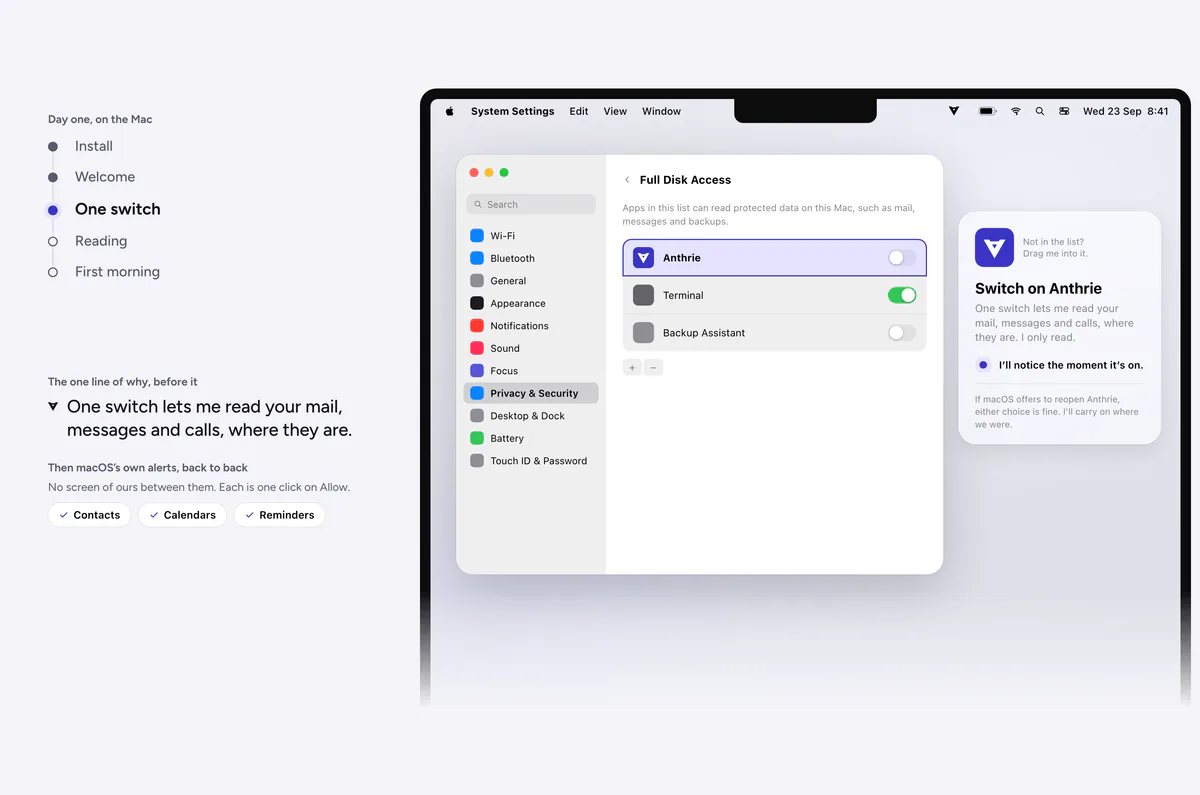
A design · The one switch -
Reading, nothing to do
No counts, no progress bar. It reads the last month first, then who matters, then further back. Close the window whenever you like.
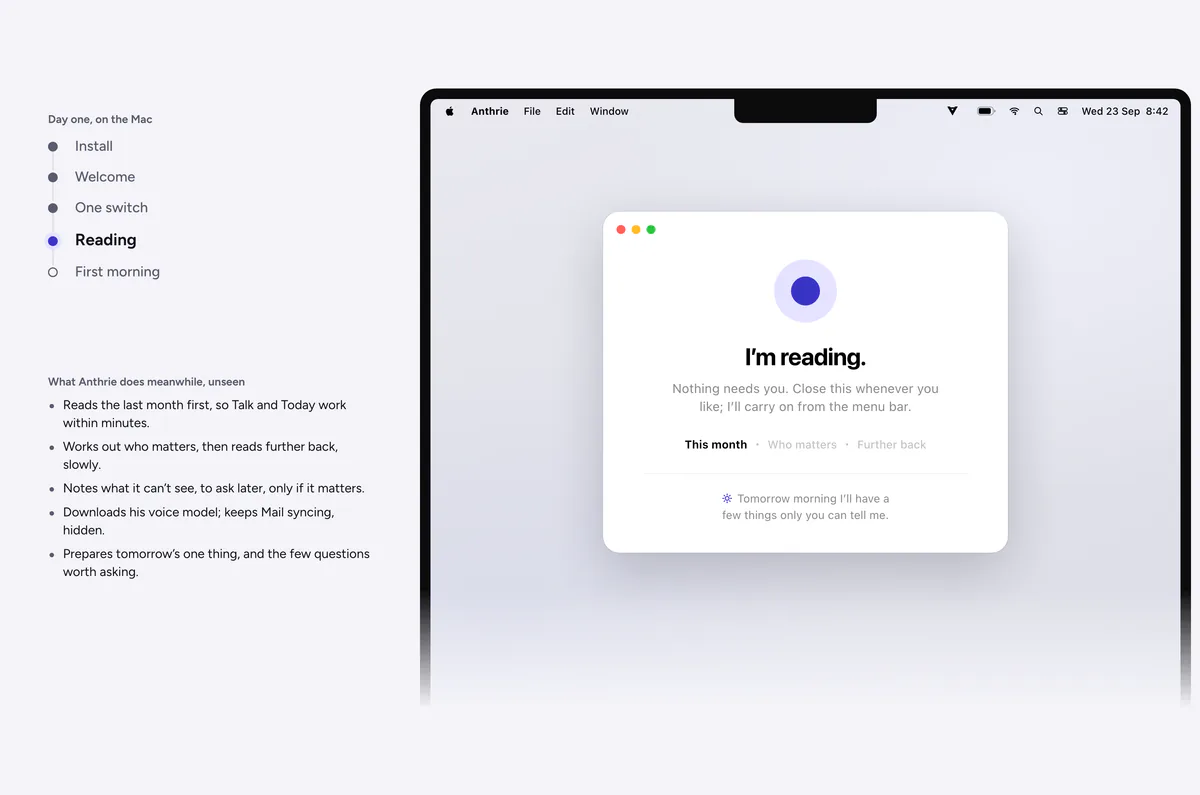
A design · Reading -
The first morning
The first time it speaks: one thing that matters, with where it came from, then only what you alone know. Say skip any time.
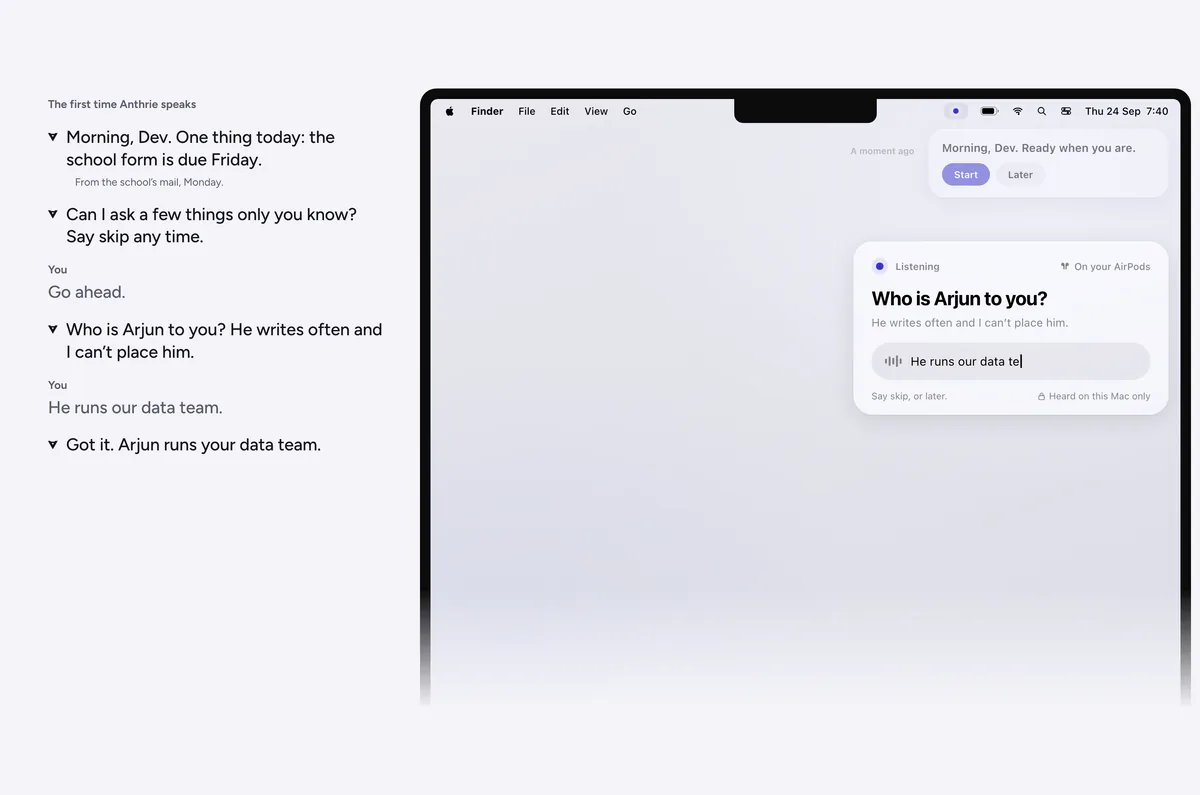
A design · The first morning -
If something breaks
Silent until it matters, then one sentence and one switch. It catches up and answers without being asked again.
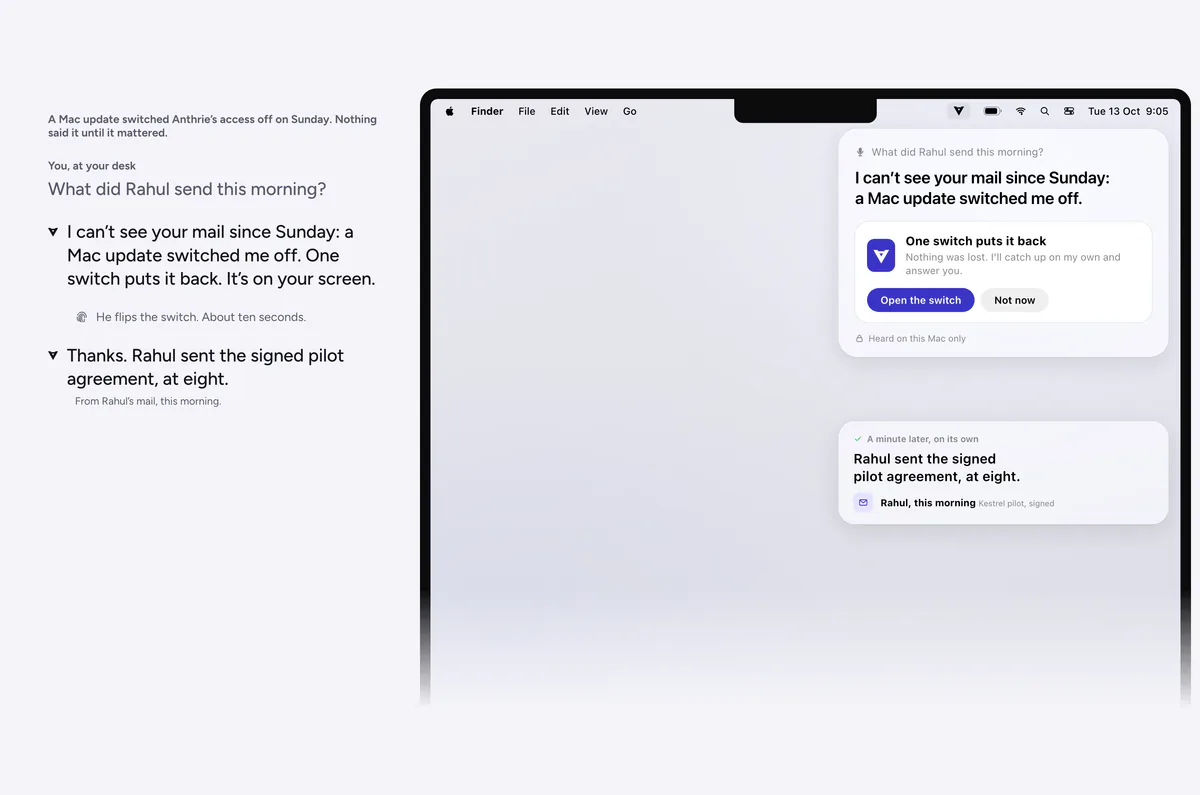
A design · When something breaks


What early access includes
The first piece, on your Mac.
It reads, understands and talks with you. The rest arrives one piece at a time, each when it clears its bar, and you'll hear about each one first.
In early access
- Talk: ask by voice or by typing, with where each answer came from
- The morning talk
- Today, at most three lines
- Your word wins over anything it has read
- The people who matter, learned on your Mac
- Reads mail, messages, calls, calendar, contacts and reminders where they are
- Trust: switch any source off, see what each was used for, erase everything
Coming soon
- What you owe, and what you’re owed
- The right document, always the latest version
- Drafts, ready for your yes
- Follow-ups from your office, with you copied
- iPhone, Apple Watch and iPad
Questions
Before you ask.
Do I need a Mac?
Yes. In early access Anthrie runs on a Mac with Apple silicon (M1 or later) on macOS 26. The Mac is where it can read your mail, messages and calls in place, things no phone app is allowed to see. iPhone, Apple Watch and iPad come later.
What will it read?
Only what you choose: Mail and the documents attached to it, Messages, calls from your iPhone, Calendar, Contacts, Reminders, the titles of your Notes, WhatsApp's notifications, and the names of files in your folders. It shows you each one, why, and what it will never do with it.
I use Gmail or Outlook in a browser. Will it work?
Yes. Connect the account to your Mac once (System Settings › Internet Accounts) with Mail, Calendars and Contacts on, and keep reading it wherever you like. Your Mac keeps a copy that Anthrie can read.
Does it send anything on my behalf?
Not in early access: it only reads. It never sends, pays, signs, books or deletes. Drafts and follow-ups from your office come later: one kind of task at a time, and only with your say.
Does my data leave my Mac?
No. In early access everything Anthrie reads and learns stays on your Mac, encrypted, and it hears you on your Mac alone. No server of ours sees your data. The details are here, in plain words.
What does setting up involve?
You open Anthrie and click Begin. It opens the one switch macOS asks for, and macOS asks three quick yeses for your contacts, calendars and reminders. Then there's nothing to do: it reads what's recent first, and further back while your Mac is on.
What does “coming soon” mean?
That we're building it and it isn't in the app yet. We don't give dates we can't keep: each piece arrives when it clears its bar, and early access members hear about it first.
What does it cost?
Early access is free. We'll tell you about pricing well before it changes, and you can always erase everything and leave.
How do I leave?
Erase everything from inside the app, then drag it to the Bin. Your own mail, messages and files are never touched.